Structuring scenes
This page contains information about features and tips that can help you properly structure your scenes and organize them.
Recommended scene structure
In Stride there are 2 ways of loading scenes: loading it as a sub-scene or replacing the root. Using sub-scenes is recommended due to many reasons:
- They allow you to have persistent entities.
- They allow you to keep the scene management logic in a script attached to an entity.
- They allow you to load multiple sub-scenes with different parts of your world (e.g. one scene contains the player and another contains level geometry).
Change the default root scene
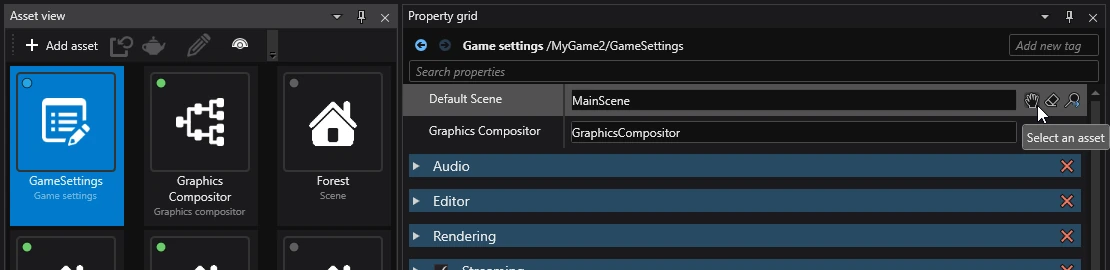
The default scene is defined in the Game Settings asset. It can be found at the root of the main project package's assets folder (the one that ends with .Game).
Folders
Scene folders are used for organizing entities in Game Studio. Unlike entities, folders do not contain components and cannot have a set transform.
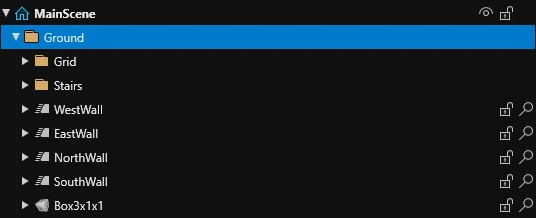
Folders do not exist at runtime — during compilation, their contents are placed in their parent (outside of the folder).
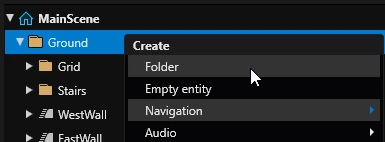
To create a new folder, right click in the Scene editor and select Create > Folder.